Creating a Withdrawal Password: Step-by-Step Instructions
1)
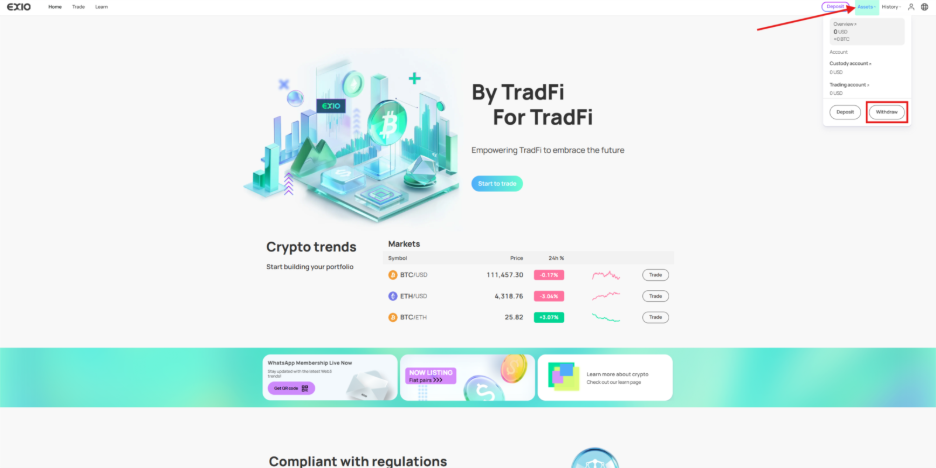
Log in to your verified EX.IO account, hover over “Assets” at the top right of the page and click on “Withdraw”.
2)
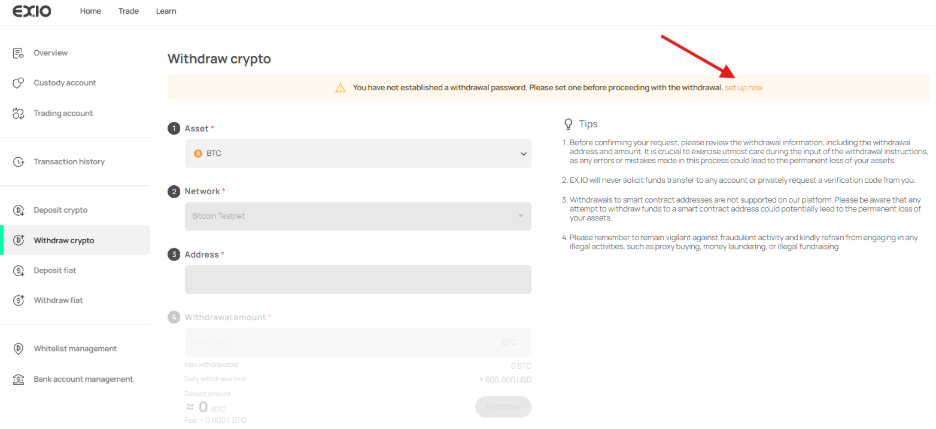
On the “Withdraw crypto” page, locate the orange notification prompting you to create a withdrawal password. Click on the “Set up now” link.
3)
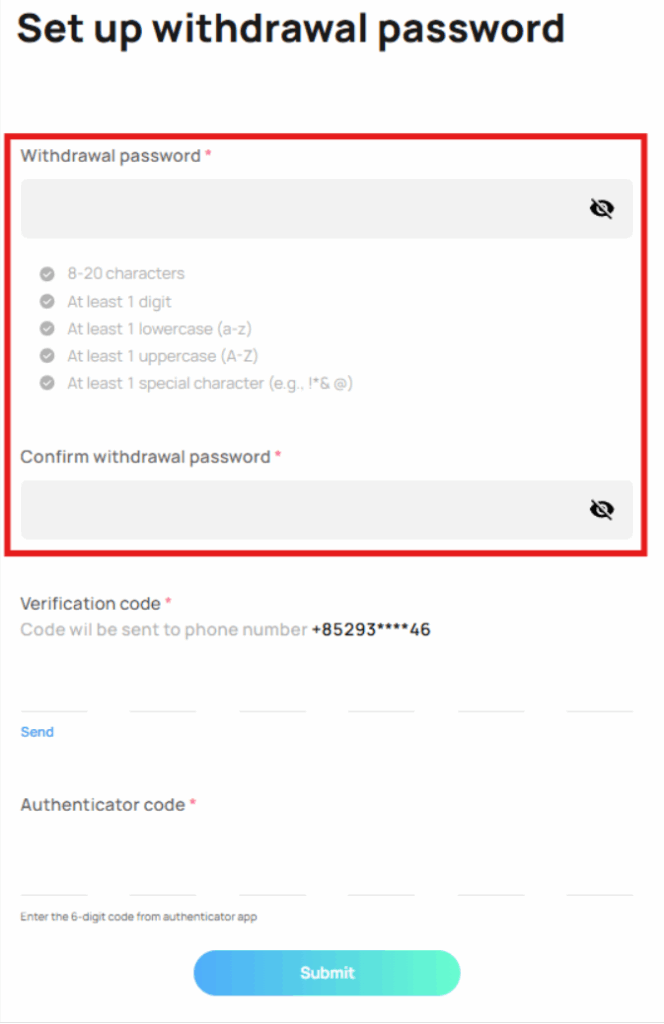
You will be directed to the “Set up withdrawal password” page. Enter your preferred withdrawal password and confirm your withdrawal password.
4)
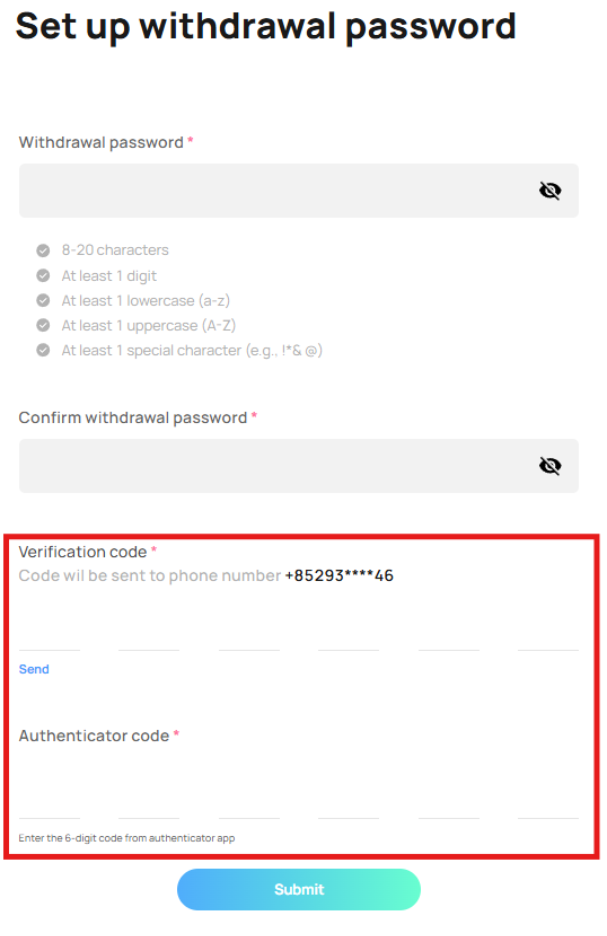
After setting up your withdrawal password, verify your account ownership by entering the SMS verification code and 2FA authenticator code.
5)
A confirmation message will indicate that your withdrawal password has been successfully created.