How to add a wallet to the whitelist (Connect Wallet)
Signature verification – Connect Wallet
1)
Log in to EX.IO account then click “Deposit” located at the top of the screen

2)
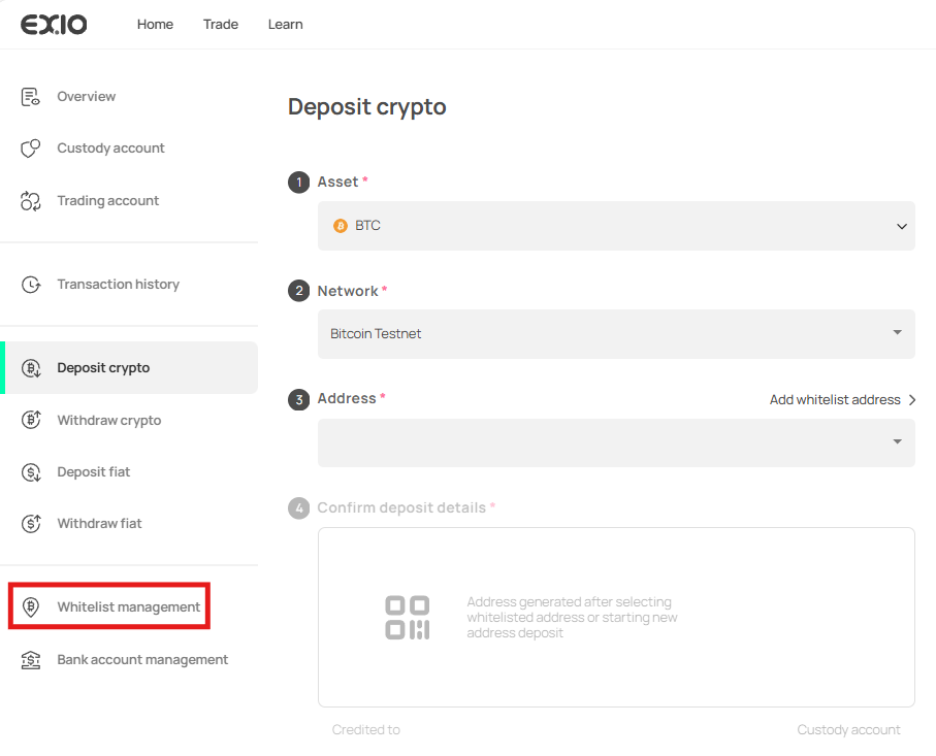
Once you are on the “Deposit crypto” page, navigate to the sidebar and select “Whitelist management.”
3)
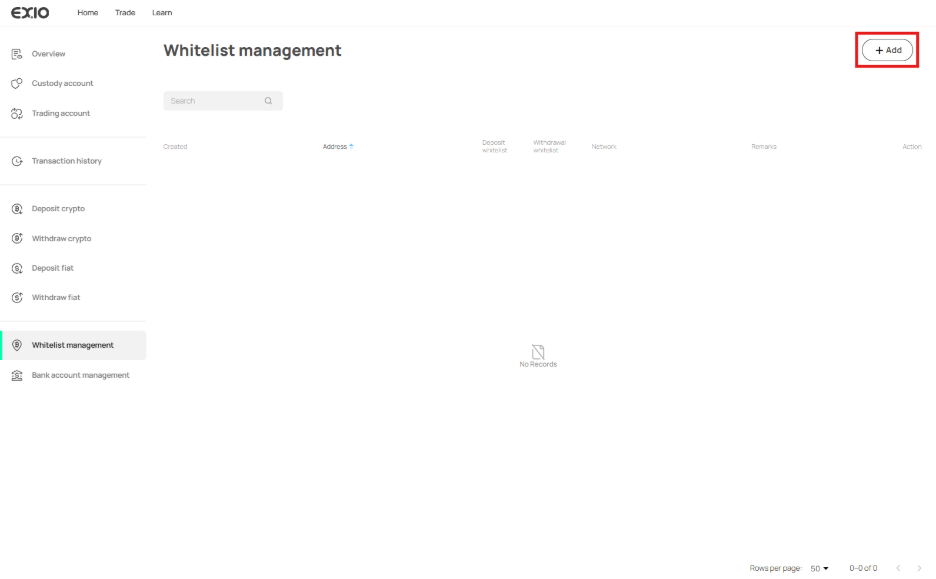
In the “Whitelist management” section, click on “Add” at the top right of the page.
4)
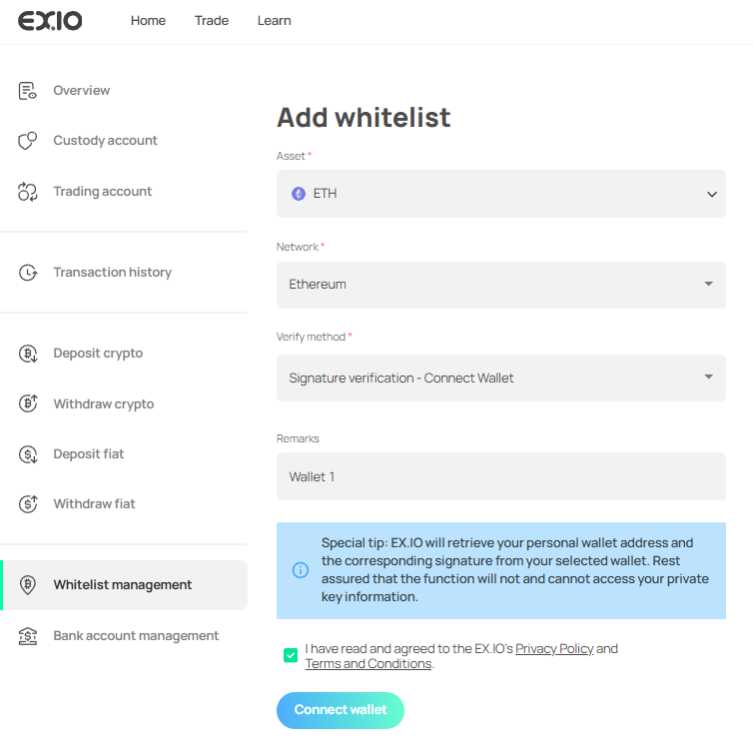
On the “Add whitelist” page, choose the asset you wish to deposit, select the asset’s network, opt for “Signature verification – Connect wallet” under “Verify Method,” and provide any necessary “Remarks” for identification purposes.
5)
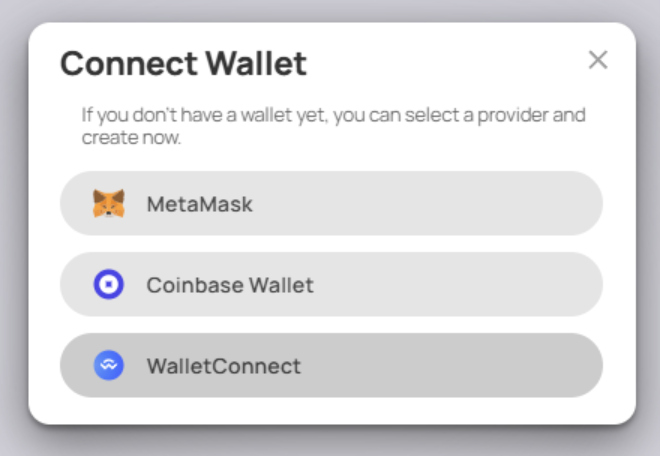
Click on “Connect wallet,” triggering a pop-up that prompts you to choose the wallet you wish to connect with.
6)
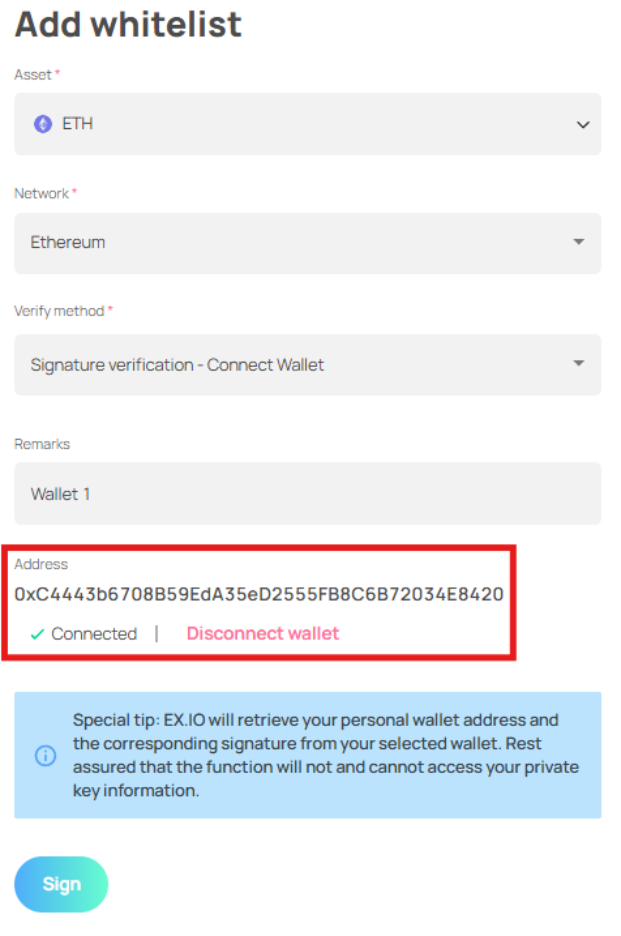
Upon successfully connecting your wallet to EX.IO, your wallet address will be visible.
7)
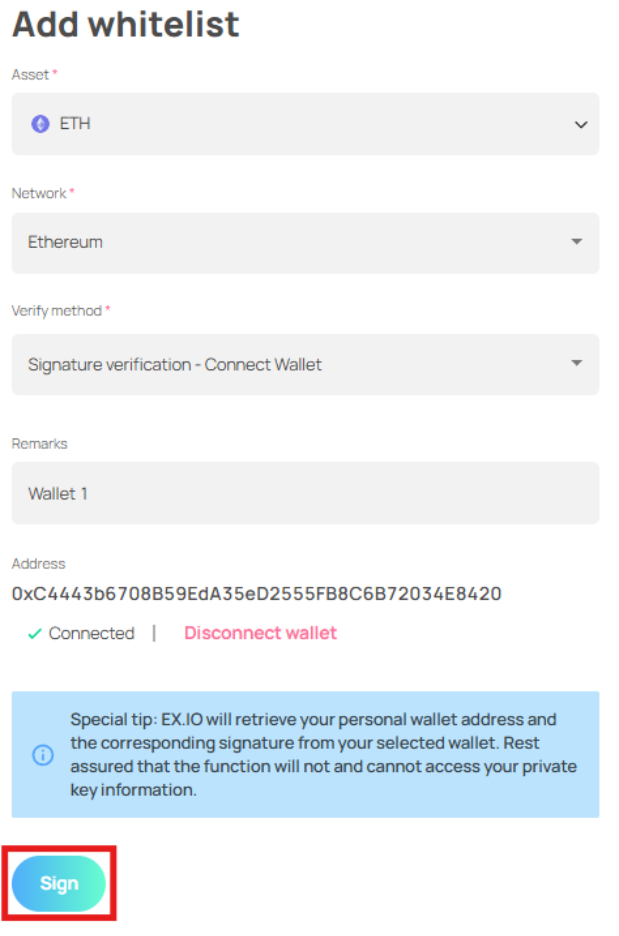
Proceed by clicking on “Sign.”
8)
Your wallet will generate a signature request for confirmation.
9)
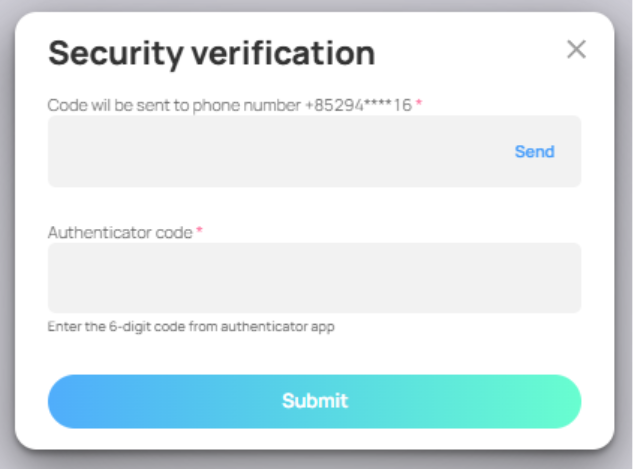
After confirming the message by signing with your wallet, you will need to verify account ownership by providing SMS and 2FA verification to finalize the wallet whitelisting process.