Whitelisting a bank account
1)
Sign in to your verified EX.IO account and navigate to the “Deposit” section located at the top right corner of the page.

2)
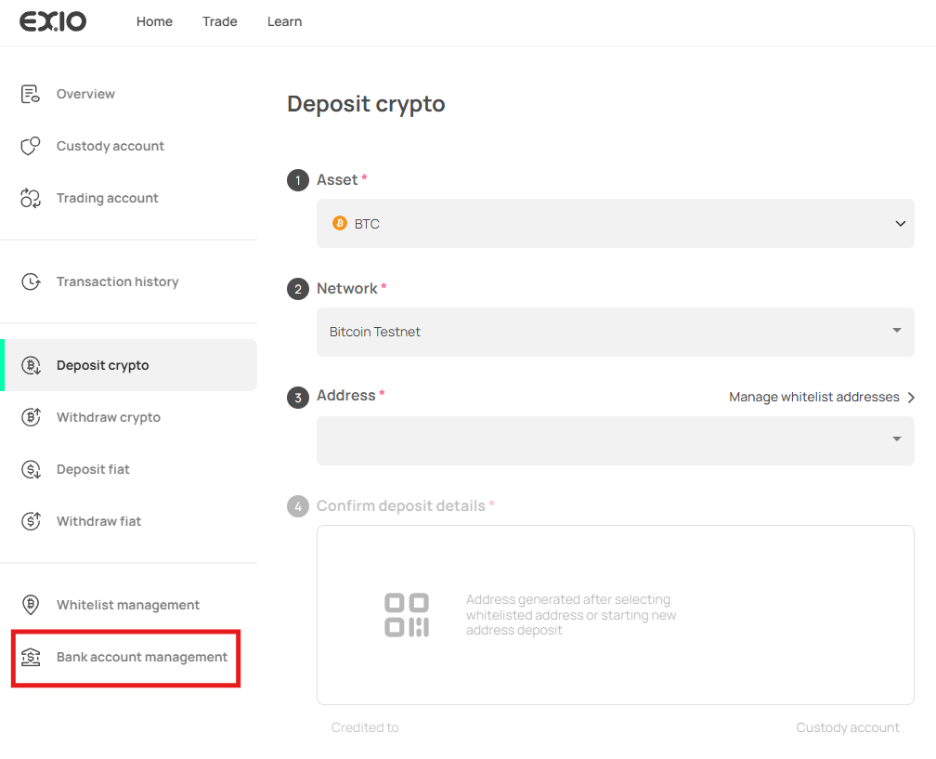
Once in the “Deposit crypto” page, on the left sidebar, click on “Bank account management”
3)
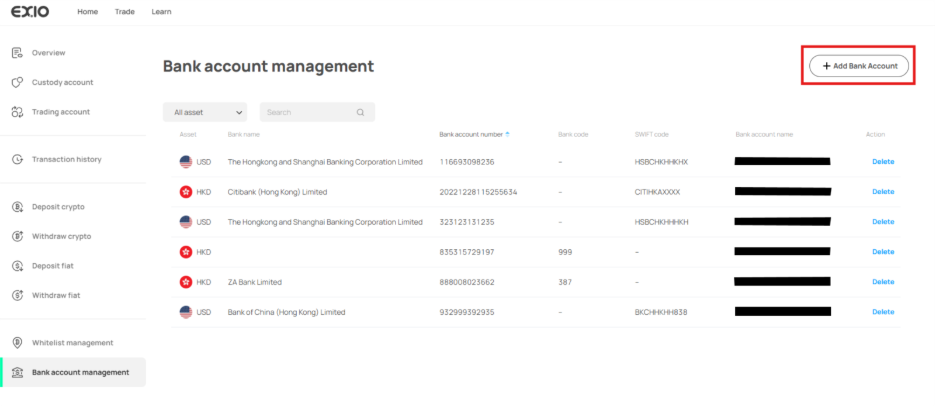
In the “Bank account management” page, you can view and manage all your whitelisted bank accounts. To add a new bank account, click on “Add Bank Account” at the top right.
4)
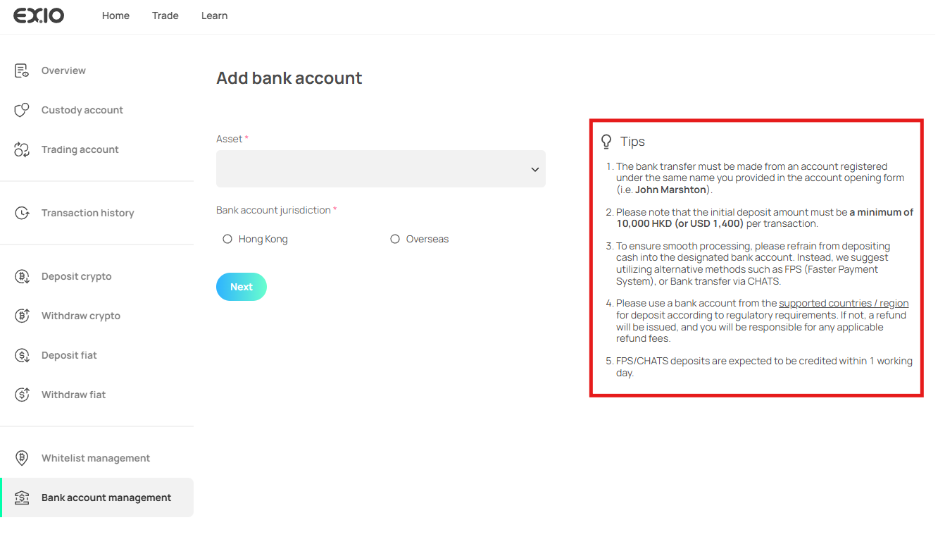
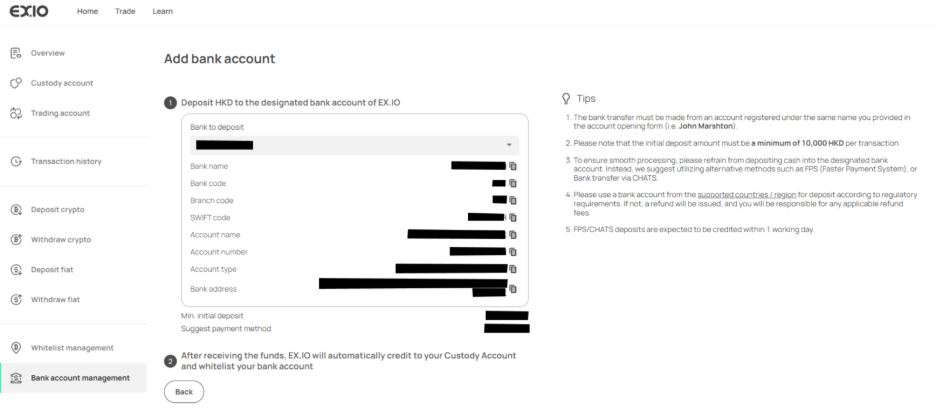
Ensure to carefully review the tips provided on the “Add Bank Account” page to prevent any payment delays.
5)
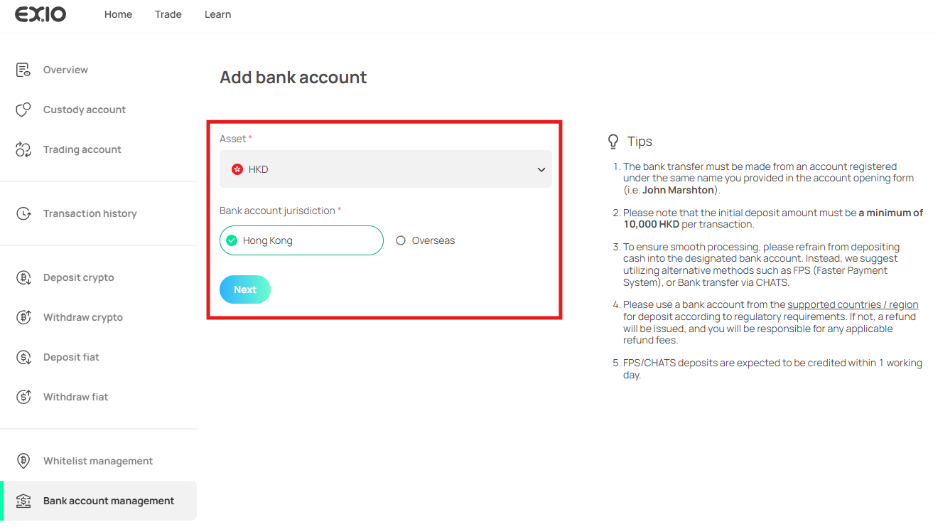
After understanding the tips, proceed with whitelisting the bank account by entering the asset for deposit and the jurisdiction where the bank account is registered. Please note that the minimum initial deposit required is either HKD 10,000 or USD 1,400.
6)
Receive EX.IO’s deposit bank account details on the following page for fiat deposits.
7)
Once you successfully deposited the fiat, it will be automatically credited to your custody account with the bank account whitelisted.