How do I withdraw my virtual assets?
1)
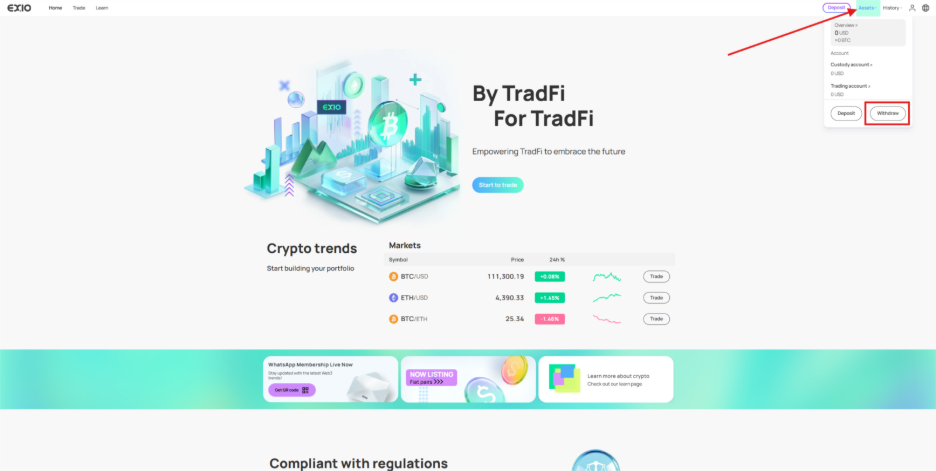
Log in to your verified EX.IO account. Navigate to the “Assets” section at the top right of the page, then click on “Withdraw”.
2)
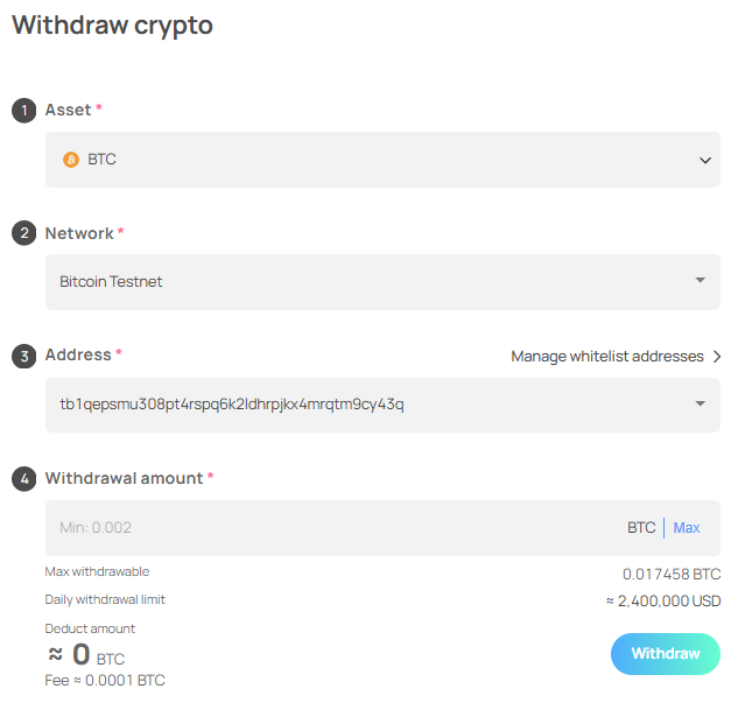
On the withdrawal page, select the asset you wish to withdraw, the preferred network for the withdrawal, the wallet address for the transfer, and the withdrawal amount.
3)
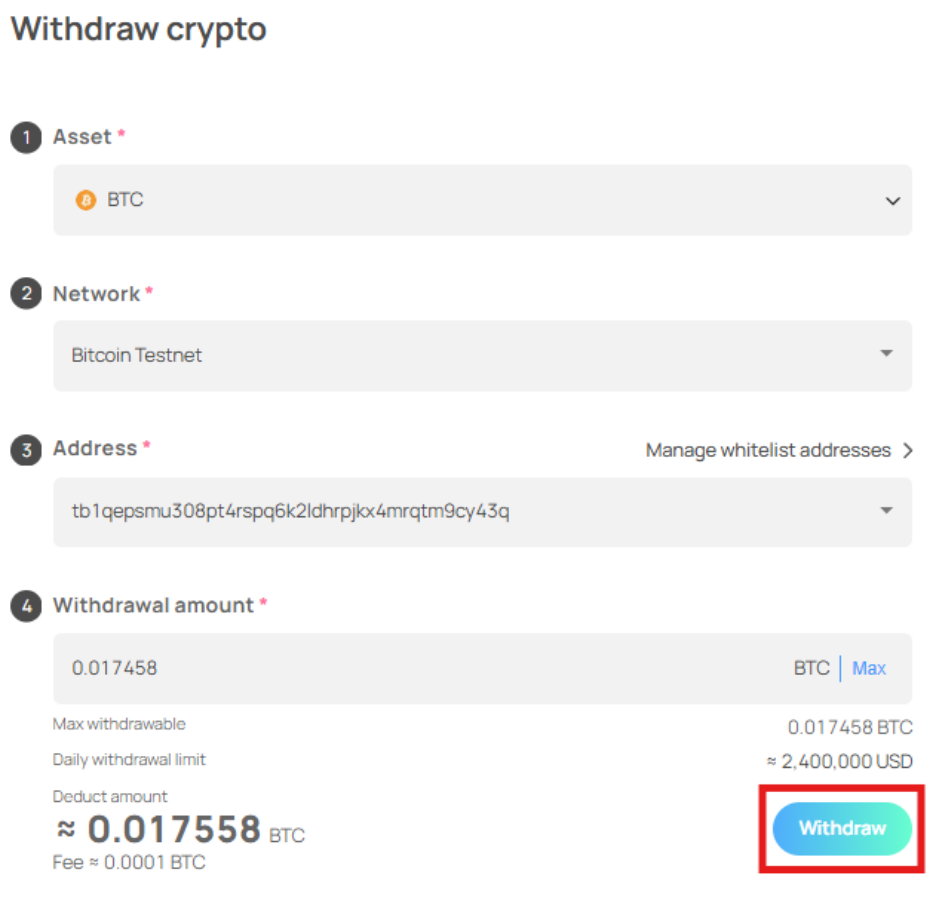
Confirm that all details are correct, then proceed by clicking on “Withdraw”.
4)
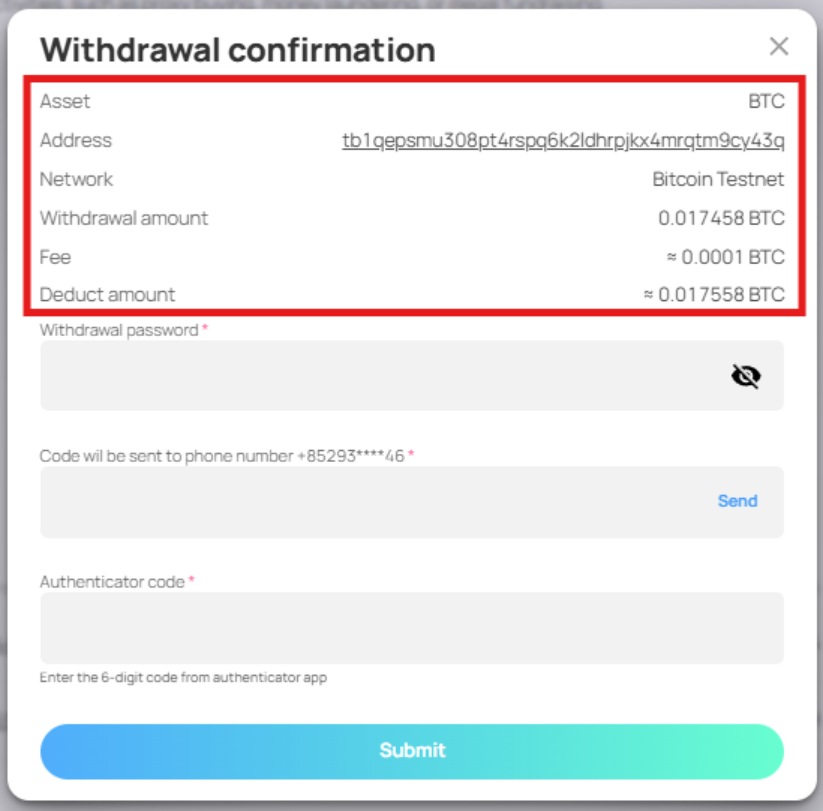
Review the “Withdrawal Confirmation” page to ensure accuracy.
5)
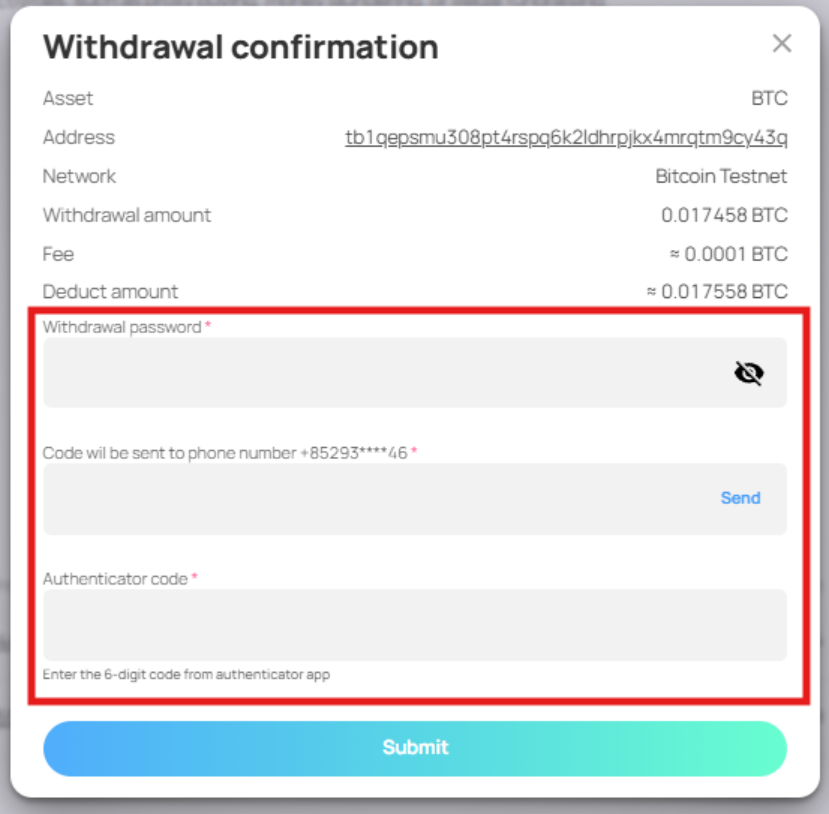
If all details are correct, enter your withdrawal password, SMS verification code, and 2FA authenticator code.
6)
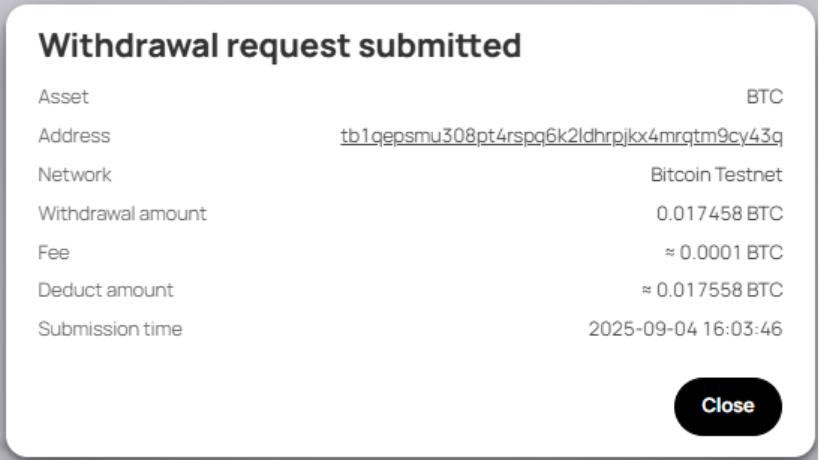
After completing the verification process and clicking “Submit”, a popup confirming the withdrawal request with all the relevant details will be displayed.