What are the fees for EX.IO?
If you do not have an account with EX.IO
Trading, deposit, and withdrawal fees can be found in this link “Fee Schedule” or at the bottom of our website under the title “Fee Schedule.”
For verified EX.IO account holders:
1)
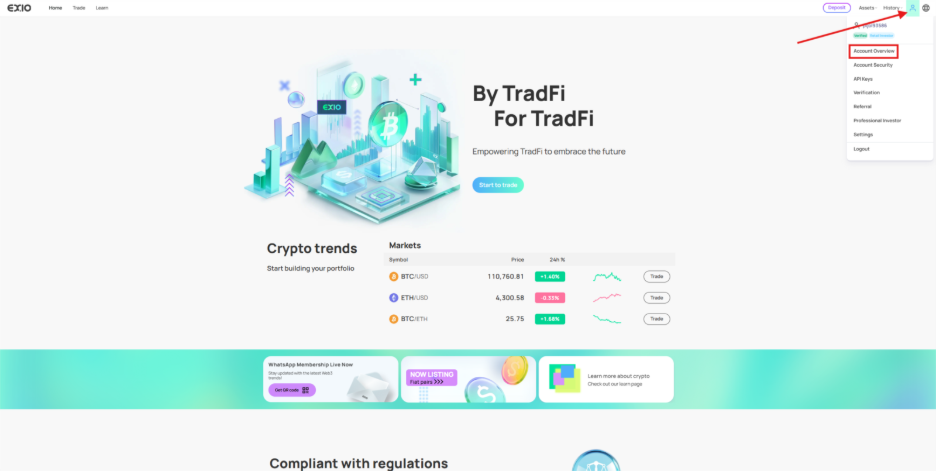
To view account limits and fees, hover over the figure icon at the top right corner of the page and click on “Account Overview.”
2)
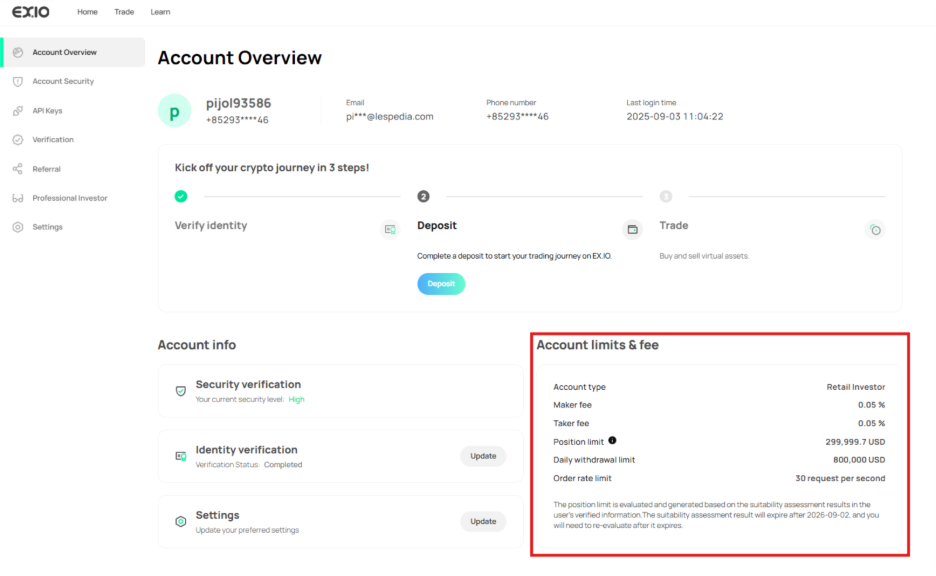
Under Account Overview, navigate to account limits and fees to view the maker/taker fees for your account.
If you have a verified EX.IO account and want to know your account’s total incurred fees:
1)
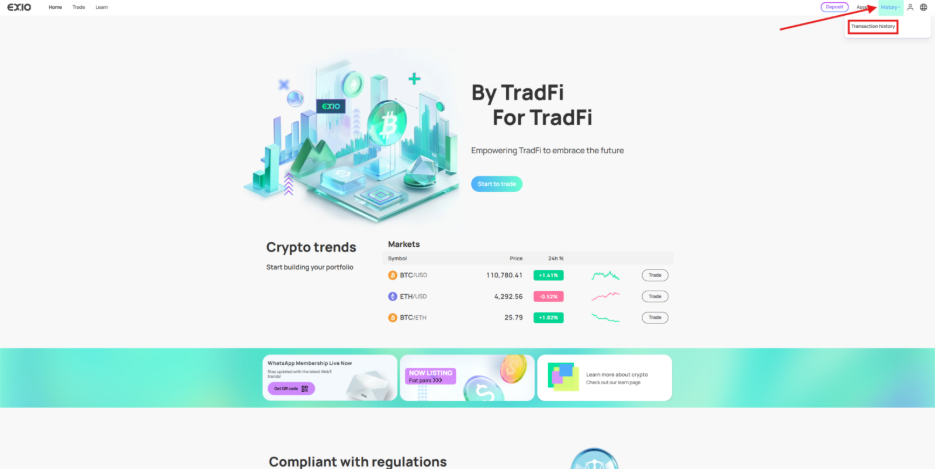
To check your total incurred fees, go to the “History” section by hovering over it at the top right of the page and clicking on “Transaction history.”
2)
In the “History” page, click on “Transaction history.”
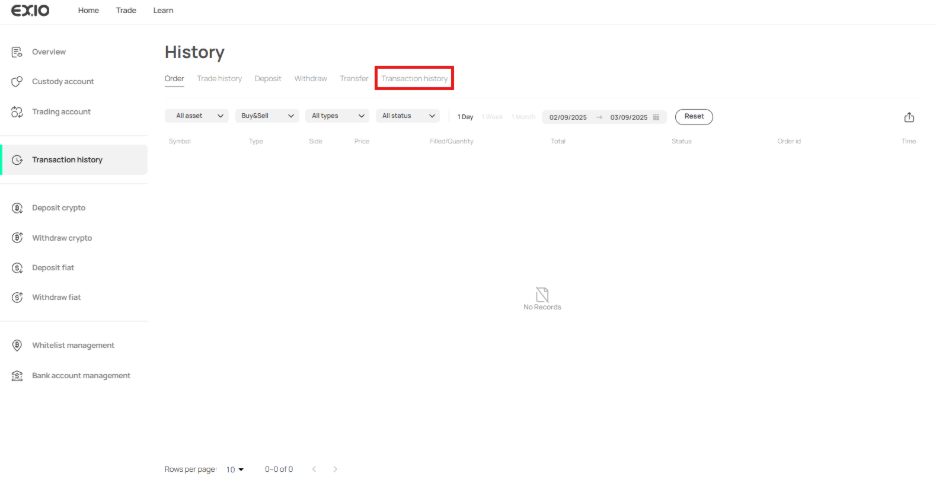
3)
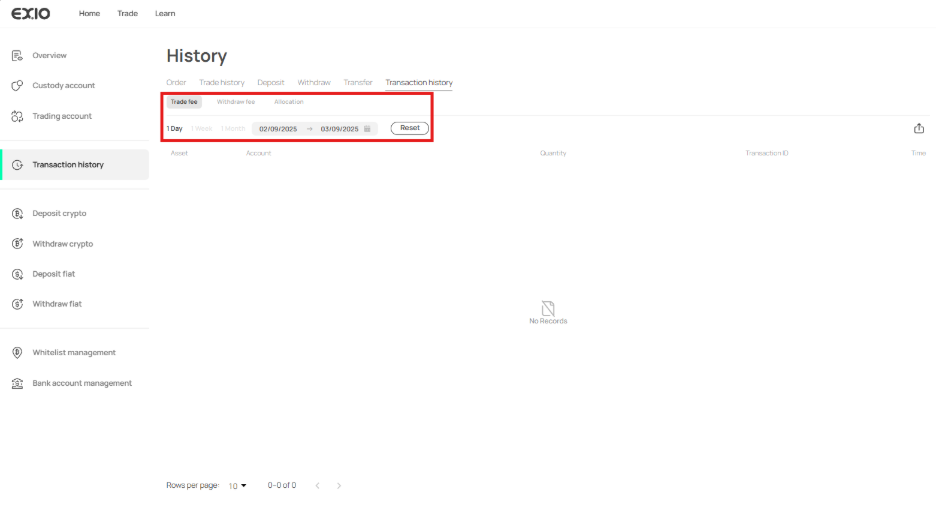
Under the “Transaction history” tab, you can review your account’s trade, withdrawal, or allocation fees based on the selected date filter range.