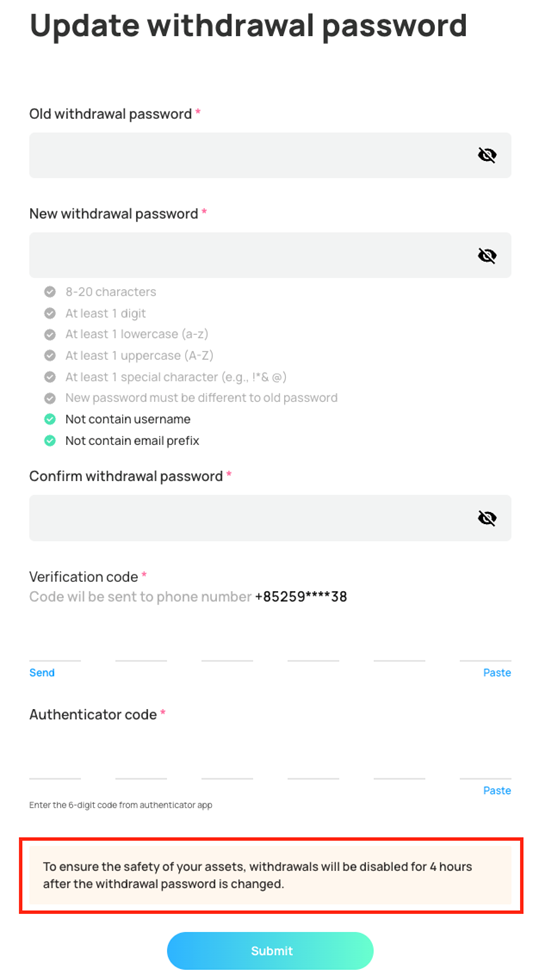
Updating Your Withdrawal Password (Step-by-Step Guide)
1)
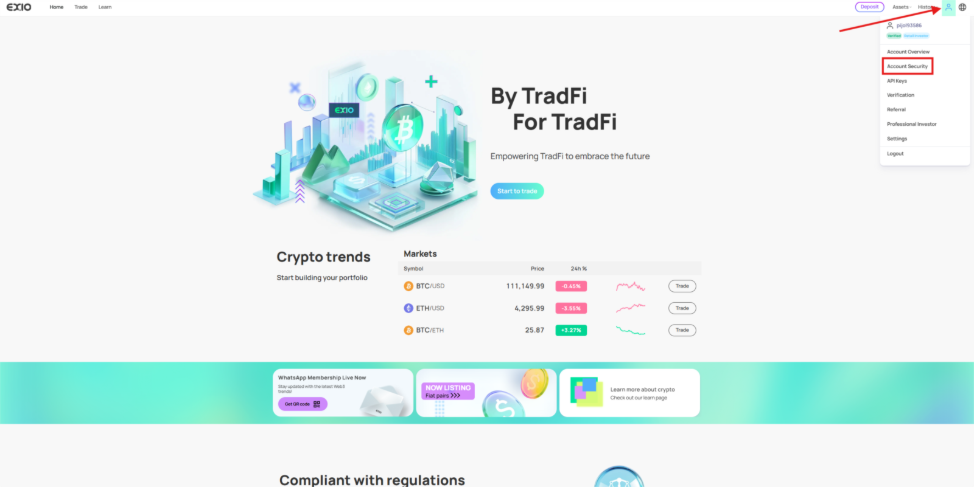
Sign in to your verified EX.IO account, hover over the profile icon at the top right of the page and select “Account Security”.
2)
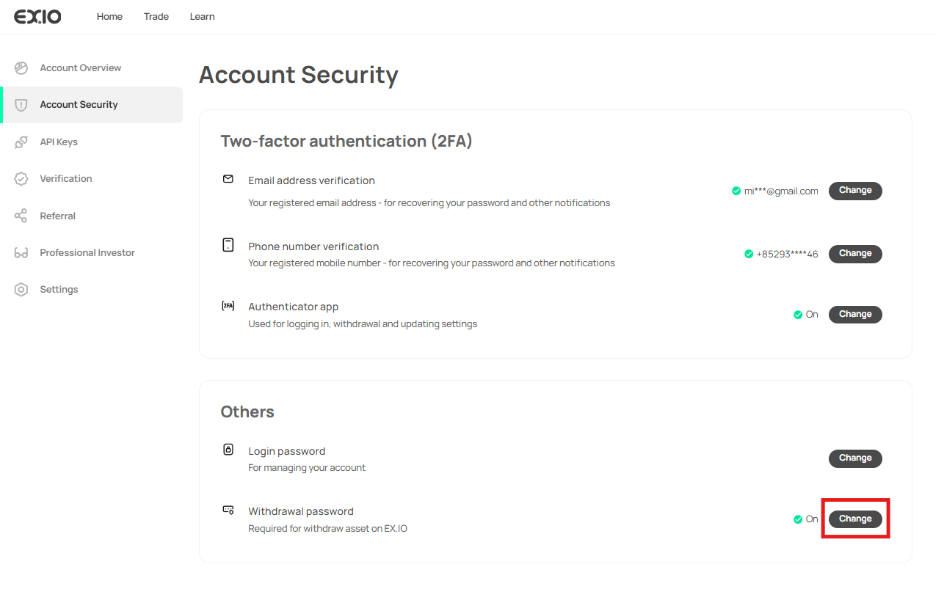
In the “Account Security” section, locate the “Withdraw Password” option and click on “Change”.
3)
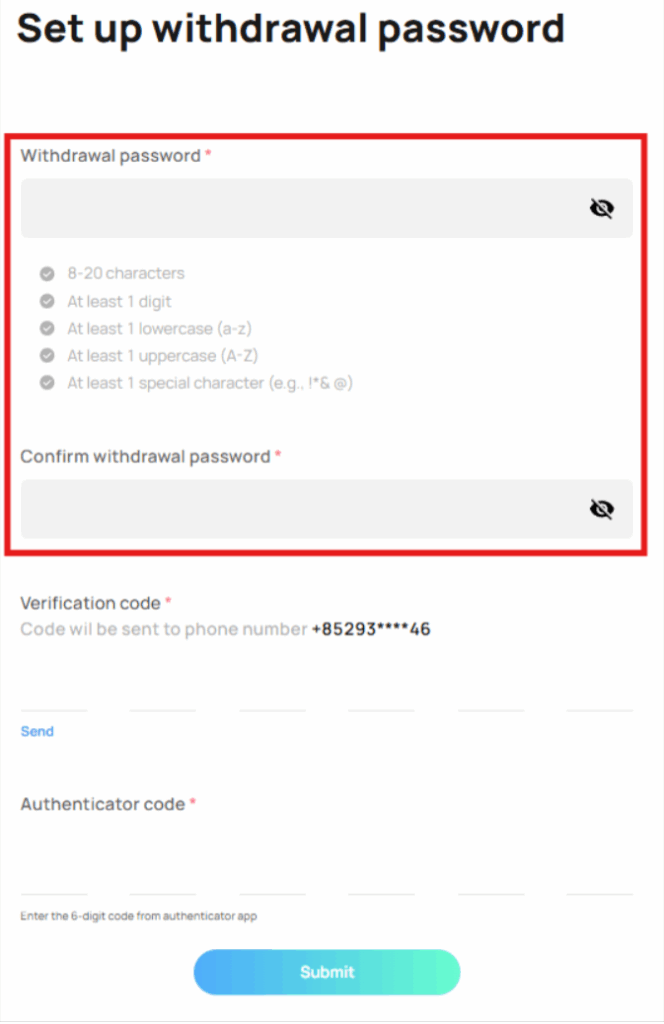
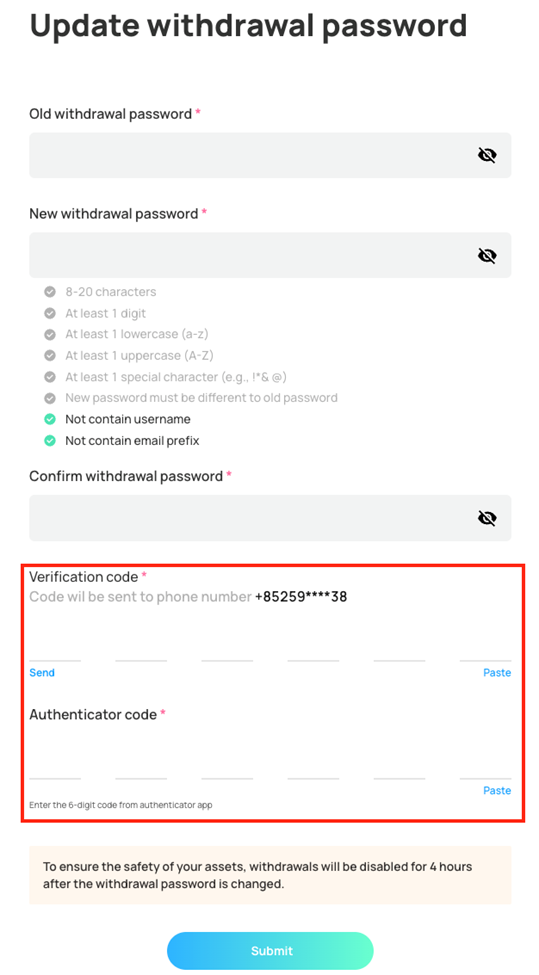
You will be taken to the “Set up withdrawal password” page. Enter your new withdrawal password and confirm it.
4)
Once your withdrawal password is set, confirm your account ownership by entering the SMS verification code and 2FA authenticator code.
5)
Note that changing your withdrawal password will temporarily disable account withdrawals for 4 hours.